
Automation and Integrations
Why Your Website Enquiries Should Connect to Your CRM
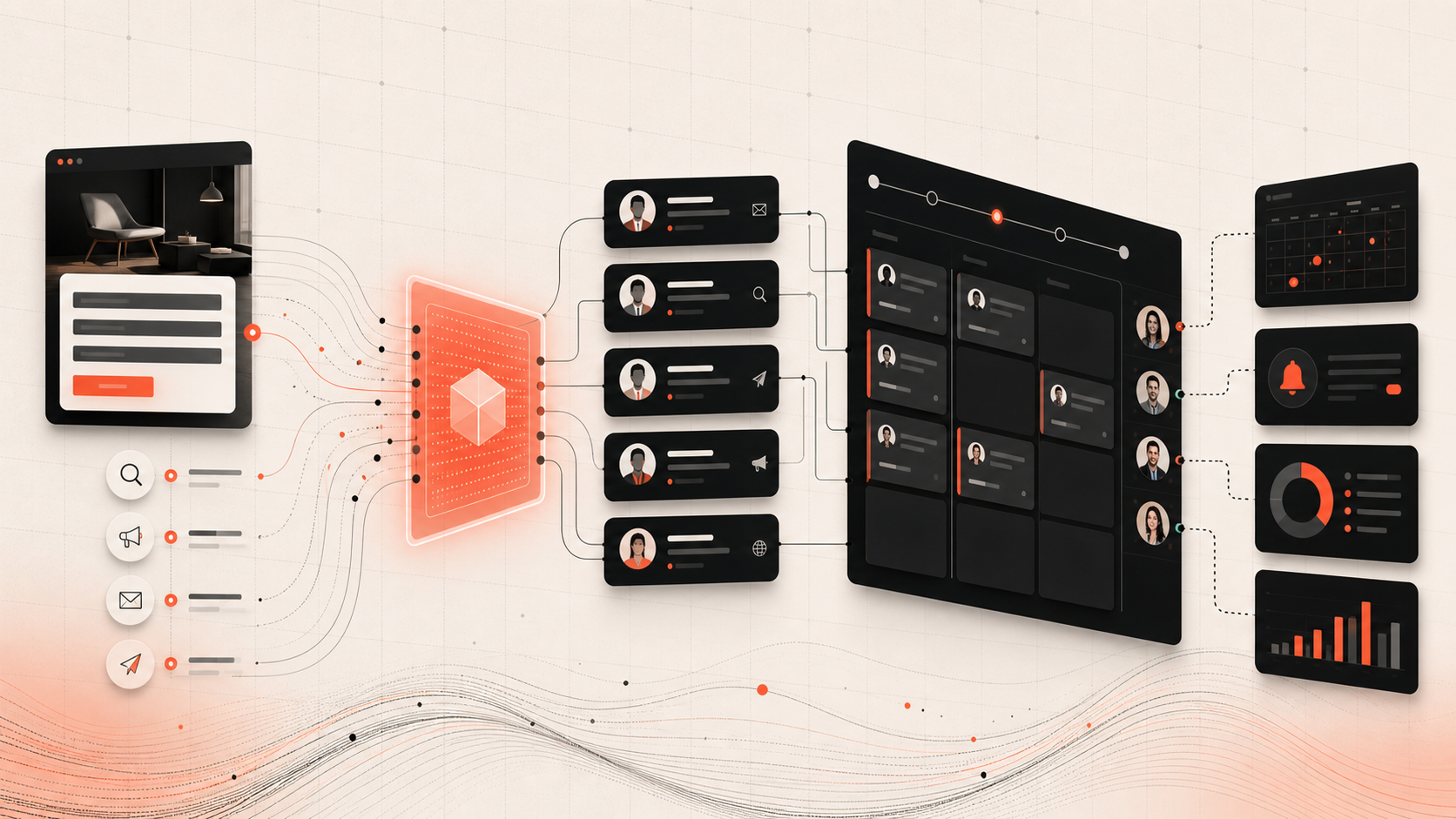
A website can generate valuable enquiries and still fail commercially if those enquiries land in a shared inbox, remain unassigned, or lose their source context. Connecting website forms and high-intent actions to a CRM creates a structured lead record at the moment of conversion. This allows the business to respond, assign, follow up, report, and improve campaigns using one consistent process.
Section 1
The Problem With Email-Only Enquiry Handling
Email is useful for notification, but it is weak as the only lead-management system. Messages can be overlooked, marked read without action, forwarded without ownership, or separated from later calls and notes.
A shared inbox does not automatically show whether the lead is qualified, who owns the next action, what service or page generated the enquiry, how long the response took, or whether the opportunity became revenue.
Copying enquiries manually into a spreadsheet or CRM adds delay and errors. Staff may skip the task during busy periods, which makes reports unreliable.
Related Service
Turn Website Interest Into a Managed Sales Workflow
Criflet can connect your website, forms, CRM, and enquiry channels so every qualified lead carries the right context, owner, follow-up, and reporting data.
Connect Your Website and CRMSection 2
Create a Structured Lead Automatically
A form-to-CRM integration can create or update a contact and lead when the visitor submits an enquiry. The record can include name, email, phone, company, service interest, message, page URL, campaign parameters, consent, and timestamp.
The integration should handle duplicates. A returning prospect may submit another form, download a resource, or request a second service. The CRM should preserve one relationship history while recording each meaningful enquiry or activity.
Use validation and spam controls before data enters the CRM. Poor-quality submissions create noise and reduce trust in the system.
Section 3
Assign Ownership and Improve Response Time
Once a lead is structured, the system can assign it based on service, location, language, customer type, account owner, workload, or campaign. The assigned person receives a task or notification with the full context needed to respond.
Response targets can be measured. Managers can see new, unassigned, overdue, or untouched enquiries instead of assuming that an email has been handled.
Automatic acknowledgement can confirm receipt and set expectations, but it should not replace a relevant human response for high-value enquiries.
Section 4
Preserve Marketing and Content Context
A visitor’s path can help sales understand intent. The CRM record may include the service page, article, case study, property, campaign, advertisement, or referral source associated with the conversion.
This context improves the first conversation. A prospect who enquired from a custom CRM page should not receive the same generic response as someone asking about a mobile app or a property listing.
Attribution also helps marketing. The business can compare not only form submissions but qualified leads, proposals, sales, and revenue by source and landing page.
Section 5
Trigger Follow-Up and Qualification Workflows
The CRM can create a sequence of actions based on the enquiry type. A high-intent project request may trigger a discovery-call task, while a resource download may enter a lighter nurture process. A property enquiry may request budget and viewing availability.
Automation should support judgement rather than send every lead through the same sequence. Use lead type, consent, urgency, value, and customer behaviour to determine the next step.
A complete activity history helps anyone continue the conversation when the original owner is unavailable.
Section 6
Build Reporting Around Business Outcomes
When website and CRM data are connected, the business can track conversion beyond the form. Useful metrics include enquiry volume, valid-lead rate, response time, contact rate, qualification rate, proposal rate, sales conversion, sales cycle, and revenue.
This exposes gaps. A page may generate many low-quality enquiries, while a lower-traffic article may create fewer but higher-value opportunities. A campaign may perform well but lose leads through slow assignment.
Use consistent source and status definitions. Reports become unreliable when each employee enters stages or campaign names differently.
Section 7
Ways to Connect a Website to a CRM
Many CRM products provide native form tools or website plugins. These can be fast to implement but may limit design, validation, or data mapping. Automation platforms can connect common website and CRM products with less custom development.
A direct API integration offers more control over validation, routing, duplicate handling, custom fields, error recovery, and user experience. It requires secure implementation and monitoring.
Choose based on value and complexity. A simple service form may need a standard connector. A multi-step application, quotation flow, property enquiry system, or custom web application may justify a direct integration.
Section 8
Plan Reliability, Security, and Privacy
The visitor should not lose an enquiry because the CRM is temporarily unavailable. The website can queue submissions, retry safely, and alert the team if delivery fails. Store enough information to recover without creating uncontrolled duplicates.
Protect form endpoints, validate inputs, limit access, encrypt traffic, and avoid exposing CRM credentials in browser code. Record consent and provide appropriate privacy information for marketing communication.
Test the full path regularly—from submission to assignment and notification. A form that displays a success message while silently failing in the CRM is a serious operational risk.
Next Step
Stop Letting Enquiries Disappear Between Marketing and Sales
Show Criflet how your forms, inboxes, CRM, and sales follow-up work today. We will help you build a dependable lead hand-off.
Contact CrifletFrequently Asked Questions
Common questions about this topic.
Most modern websites can connect through native tools, automation platforms, webhooks, or APIs. The best approach depends on the website, CRM, form complexity, and routing needs.
Yes, email can remain a notification and backup channel, but the CRM should be the structured source for ownership, status, activity, and reporting.
The website can pass the page URL, form identifier, campaign parameters, content identifier, or listing reference with the submission.
A reliable integration should queue or retain the submission, retry safely, log the failure, and alert the team for manual recovery.
Yes. Assignment can use service, region, language, customer segment, campaign, existing owner, workload, or other business rules.